
WORKFORCE 4.0 · Industrial execution
We merge the physical world with digital processes.
Your exisisting software solutions know what should happen. WORKFORCE makes it happen with the right person, at the right place and time, equipped with the right information. Standalone or fully integrated, WORKFORCE adds a spatial layer to your existing systems.
Real customer deploymentwork physically executed not just confirmedvoestalpine · real app workflows
Patented technology20 years of experienceOperational for more than a decadeCustomers worldwide
Your Daily Challenges
How much time does your team lose before the work even starts?
Searching for an asset. Checking which part is correct. Calling an experienced colleague. Finding the latest instructions. Which of these slows down your team?
When locations and information are hard to find, routine work takes longer and responding to a breakdown becomes more difficult. As experienced employees leave, their knowledge can become harder to replace.
The same task is carried out differently across shifts.
A work order identifies the task, but employees still need to find the asset and the right information.
Checking what was completed, where, and when takes extra effort.
Experienced workforce retiringShorter employee lifecyclesIncreasing production complexityDifficult onboarding of skilled workers
How WORKFORCE Helps
Connect every task to the right asset, location, and instructions.
- Connect - Bring relevant tasks and information from your existing systems.
- Guide - Help employees reach and identify the right asset.
- Document - Record location, findings, photos, and completion details.
- Update - Return work status and evidence to connected systems.
Use Cases
Where could WORKFORCE make the biggest difference in your facility?
Start with the workflow that creates the most searching, delays, or follow-up work. Both WORKFORCE solutions use the same positioning technology to connect tasks and information to physical assets.
Real maintenance routine
01 · Maintenance & compliance
Bring the right inspection to the right asset.
Problem: When inspection records lack location, photos, or findings, checking what happened creates extra work.
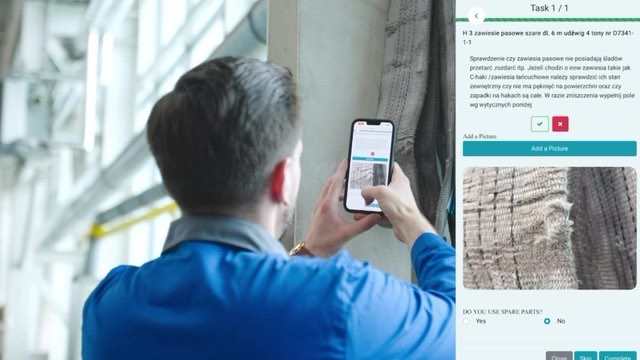
WORKFORCE: WORKFORCE guides employees to the asset, opens the relevant inspection, and records time, location, findings, and photos.
- Completion records linked to the asset
- Evidence for audit preparation
- Less manual documentation
Real defect workflow
02 · Defects & downtime
Give your team the location and knowledge to act.
Problem: When a machine stops, unclear defect locations and scattered information can delay the response.
WORKFORCE: WORKFORCE connects the defect to its location, guides employees there, and provides asset history, instructions, and required parts at the point of work.
- Less searching before repairs begin
- Documented progress from report to resolution
- Asset knowledge available across shifts
Navigate to the exact item
03 · Spare parts & asset pickup
Find the right item with less searching.
Problem: When items move and location records fall behind, employees spend time searching and checking whether they have the correct part.
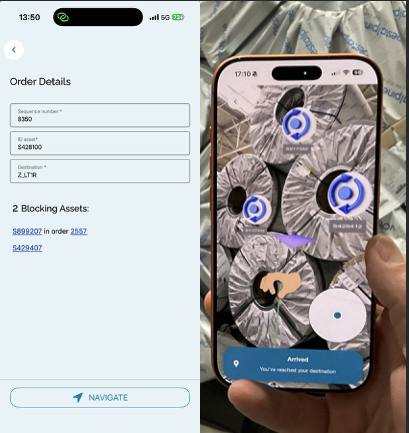
WORKFORCE: WORKFORCE guides employees to the item’s recorded location, helps identify it, and records pickup, relocation, and status.
- Less searching and unnecessary walking
- Help identifying the correct item
- Recorded pickups and relocations
Real asset tracking workflow
04 · Asset tracking & production flow
See where assets are and where they need to go.
Problem: As materials and work in progress move through your facility, outdated location records make it harder to find assets and coordinate the next movement.
WORKFORCE: WORKFORCE records asset locations, receives movement orders from your ERP, guides employees to the asset and destination, and returns completion updates.
- Less time locating assets
- Visibility of recorded asset movements
- Better information for storage planning
- Movement status shared with your ERP
Quality controlHSE & LOTOTPMIntralogisticsProduction flowFacility management
Real implementations
See WORKFORCE in daily industrial use.
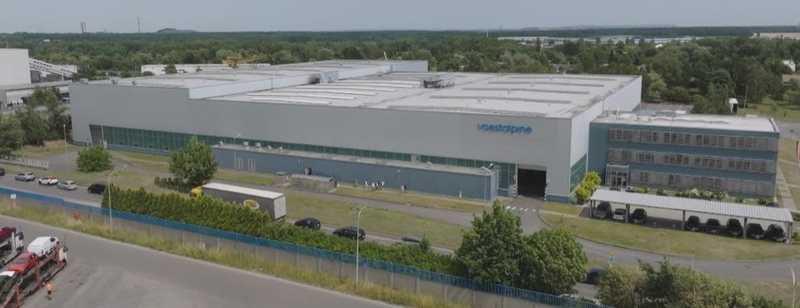
voestalpine uses both WORKFORCE Asset Management and Asset Tracking in its plants.
−15%unplanned downtime
<1 yearcustomer ROI
6 months → ~8 weeksonboarding time
100%digital traceability
The Technology Behind WORKFORCE
One positioning technology. Two applications for your daily operations.
Insider Navigation’s patented camera-based positioning technology connects physical locations with digital information. It works on standard mobile devices without powered positioning infrastructure and provides the shared foundation for WORKFORCE Asset Management and Asset Tracking.
Physical worldPeople · assets · locationsFactory floor
WORKFORCE
Asset Management
Guide employees to assets, provide relevant inspections and instructions, and record findings and completion evidence.
WORKFORCE
Asset Tracking
Locate and identify assets, guide pickups and relocations, and record movements and status updates.
Patented foundationCamera-based spatial tracking & positioningIndoor · outdoor · multi-level · standard devices
Digital processesERP · MES · CAFM · IoTPlans, data and workflows
The result: Your team can access the relevant asset information and workflow where the work happens, while connected systems receive recorded status and completion updates.
Operational in days
The setup already gives you a usable view of your factory.
No months-long infrastructure project. During setup we capture the real environment and prepare the spatial foundation for your first use cases.
Your Setup Includes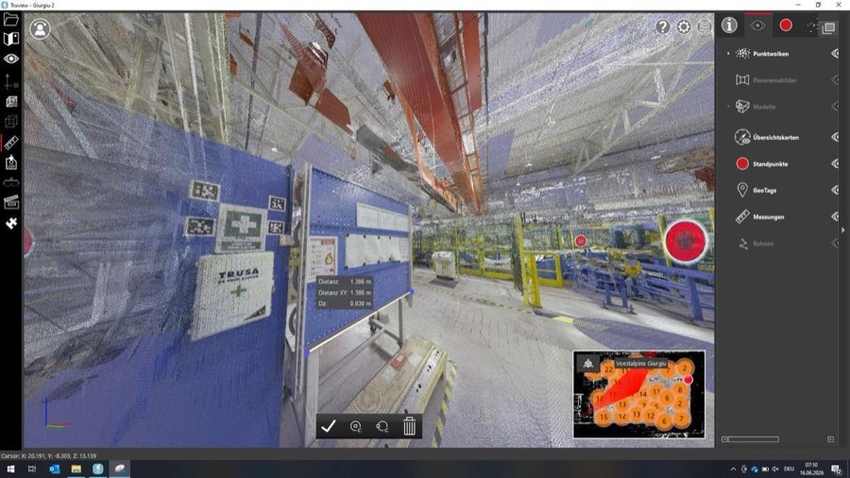
01
Digital twin
A spatial representation captured from your real facility.
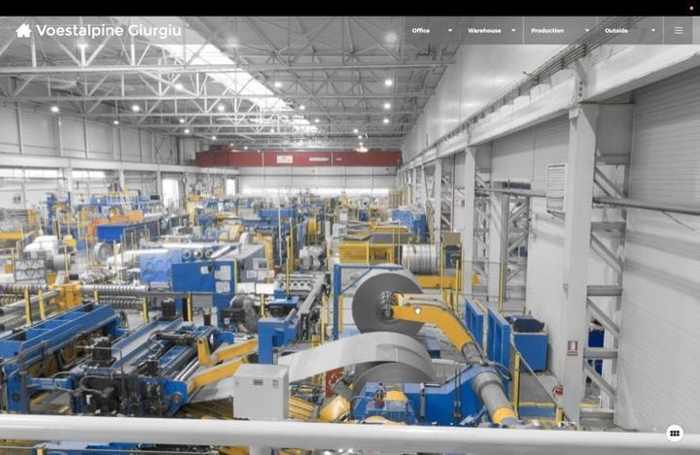
02
360° walkthrough
Walk the site remotely for orientation and collaboration.
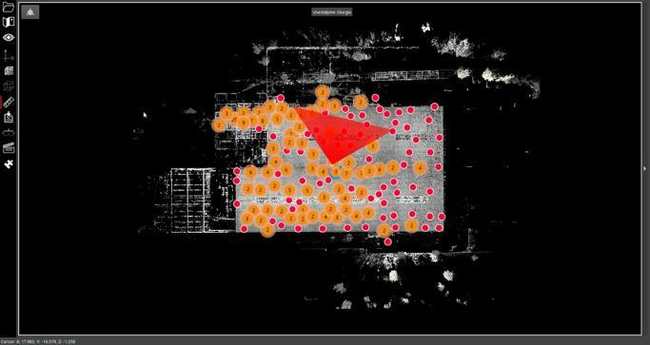
03
Accurate 2D as-is plan
A current floor plan created from the captured physical site.
Days, not monthsCapture site→Build spatial layer→Configure first use case→Go live
Proven industrial foundation
Patented technology with industrial deployment experience.
Insider Navigation combines 20 years of positioning and spatial-computing experience with more than a decade of operational customer deployments around the world.
Industry recognition
Recognized for Industrial Innovation
Honored as the most innovative plant solution for turning real-world industrial work into guided, verifiable and measurable digital execution.
Explore the MA² Innovation AwardYour Questions
What would implementation involve at your site?
Does WORKFORCE replace ERP, MES or CAFM?
No. It connects these systems to verified execution in the physical world through APIs.
How fast can we start?
A focused setup can be completed in days. Scope depends on the site and the first use cases.
Do we need beacons or new positioning hardware?
No powered positioning infrastructure is required. The patented approach works camera-first on standard mobile devices.
What do we receive during setup?
The setup includes the spatial foundation, digital twin, 360° walkthrough and accurate 2D as-is floor plan without additional cost.
Arrange a meeting
Let’s explore your use cases in a 30-minute call.
Tell us about your operational challenges and we will present how WORKFORCE 4.0 can address them. If the approach is relevant for you, we will be happy to arrange a live demo at your site afterwards. We look forward to an open exploratory conversation.
Book a 30-minute call ↗- Discuss your priority use cases
- See the relevant WORKFORCE solution
- Define next steps and an optional on-site live demo
Prefer the form?
Leave your details here:
Arrange a meeting
Book your 30-minute exploratory call
Choose a convenient time to discuss your operational challenges and discover how WORKFORCE can address your specific use cases. If there is a good fit, we will be happy to arrange a live demonstration at your manufacturing facility.